 Night
Night
The finance cockpit
for clubs & venues
Nightcap turns every event night into clean numbers — registers, expenses, partners, artists, vendors and sponsorships in one place. Self-hosted, running entirely in a single Docker container with an embedded SQLite database.
Every euro of the night, accounted for
From the door to the last vendor invoice, Nightcap captures each revenue stream and payout — then rolls it up into dashboards and reports you can actually use.
Per-night registers
Log entrance, bar, presale and rent takings for every event as separate registers, so you always know where the money came from.
Expense control
Attach variable costs — staff, security, lights, sound, cleaning — to each register and watch your real margin per night.
Partner settlements
Define ownership percentages and Nightcap computes each partner's earned, paid-out and outstanding balance automatically.
Artists & vendors
Track DJ and performer fees alongside supplier invoices, so every payout and delivery is on the books.
Dashboards & yearly view
Live KPIs, a revenue-vs-expenses curve and a month-by-month yearly breakdown give you the full financial picture at a glance.
Exportable reports
One click turns any month into a branded PDF or a CSV — registers, expenses, fixed costs, artists, vendors and sponsorships included.
A guided tour, page by page
Real screens from the live Nightcap instance — here's what each section does.
Dashboard
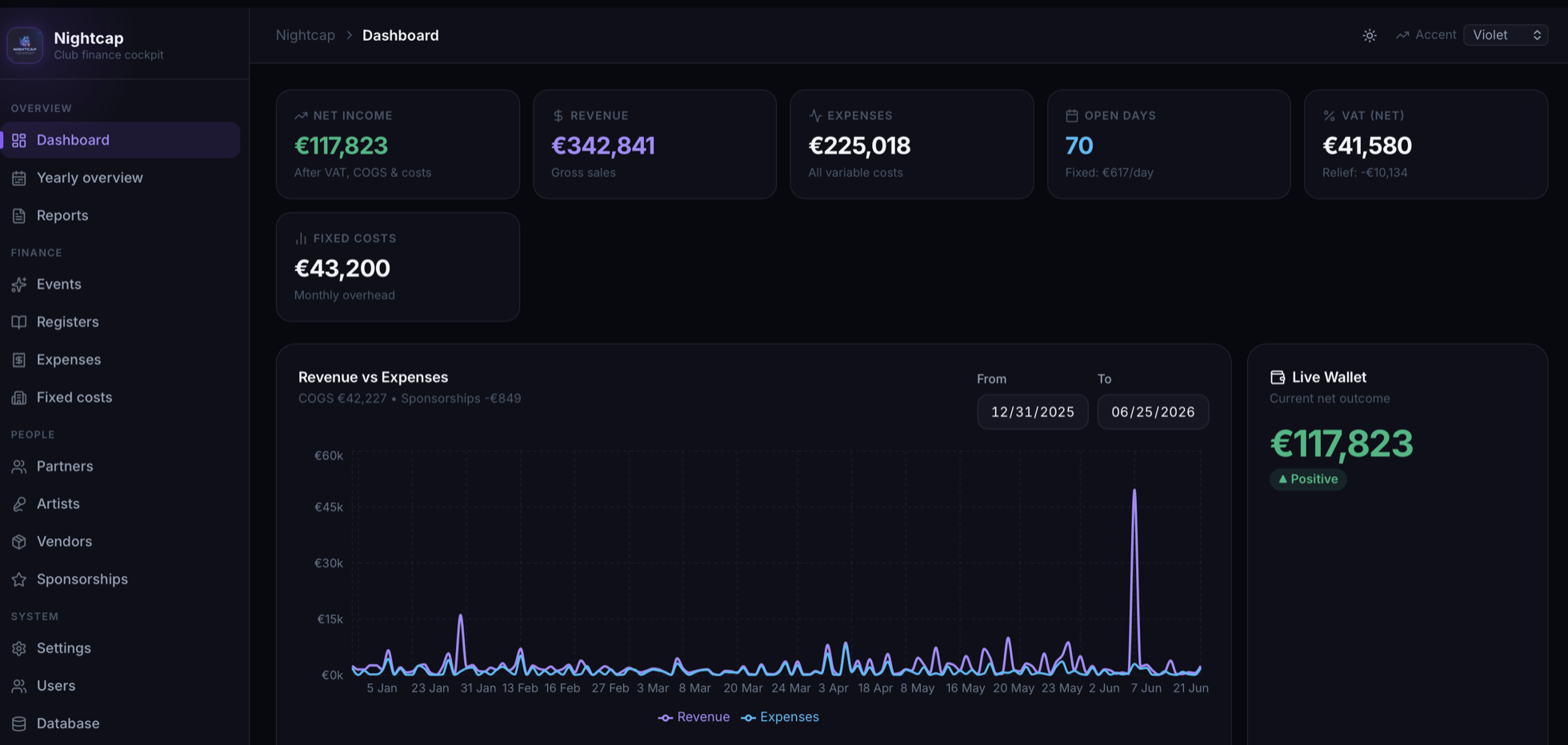
The cockpit. Headline KPIs sit across the top, with a revenue-vs-expenses curve and a live wallet beneath — the financial health of the venue in a single glance.
- Net income, revenue, expenses, open days, VAT and fixed costs as live KPI cards.
- Revenue vs Expenses chart with a custom date range.
- Live Wallet showing your current net outcome, flagged positive or negative.
Yearly Overview
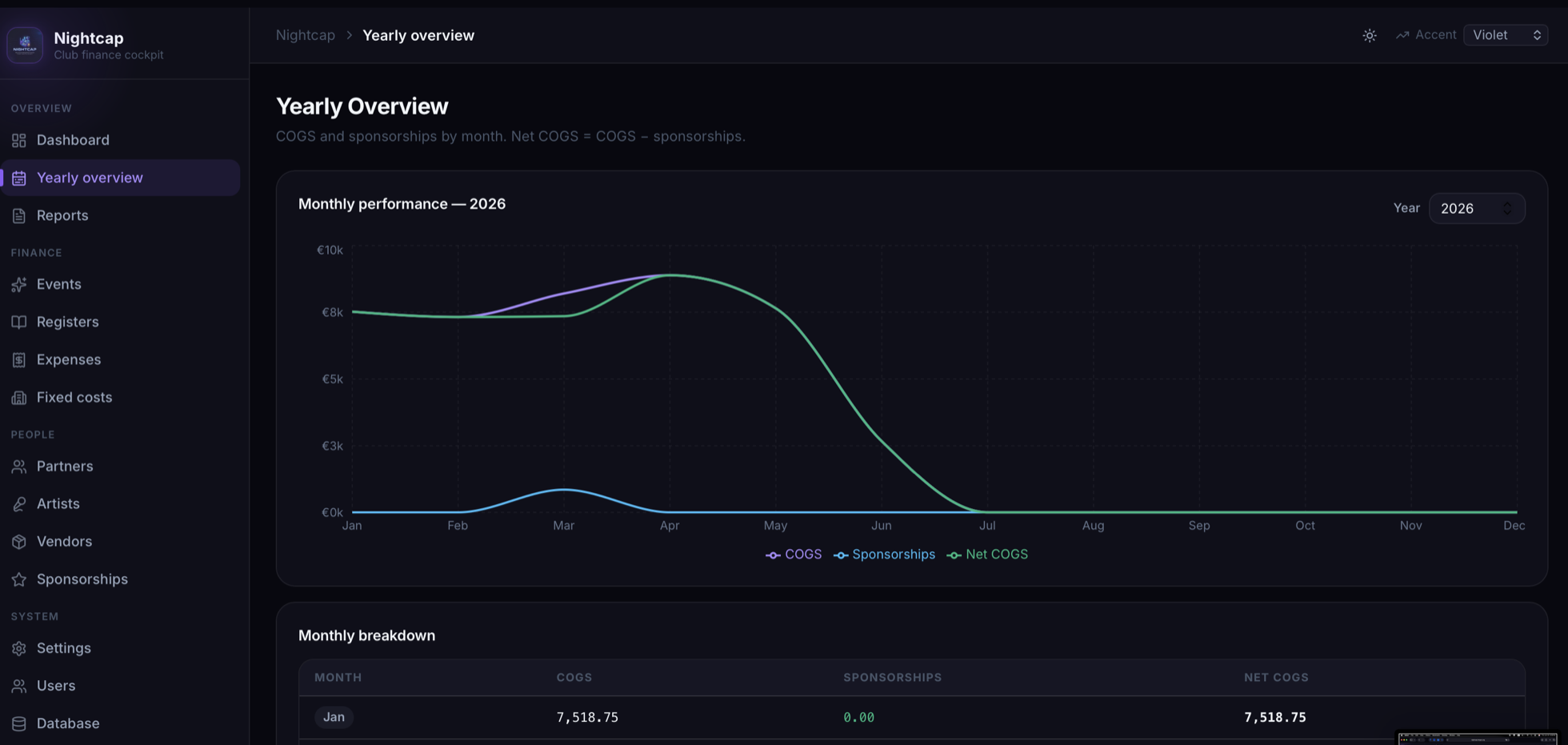
Zoom out from a single night to the whole year. A smooth monthly-performance curve sits above a month-by-month breakdown table, so seasonal patterns and trends jump out.
- Monthly performance chart for the selected year — COGS, sponsorships and net COGS.
- Monthly breakdown table with exact figures per month.
- Year selector to compare one season against another.
Events
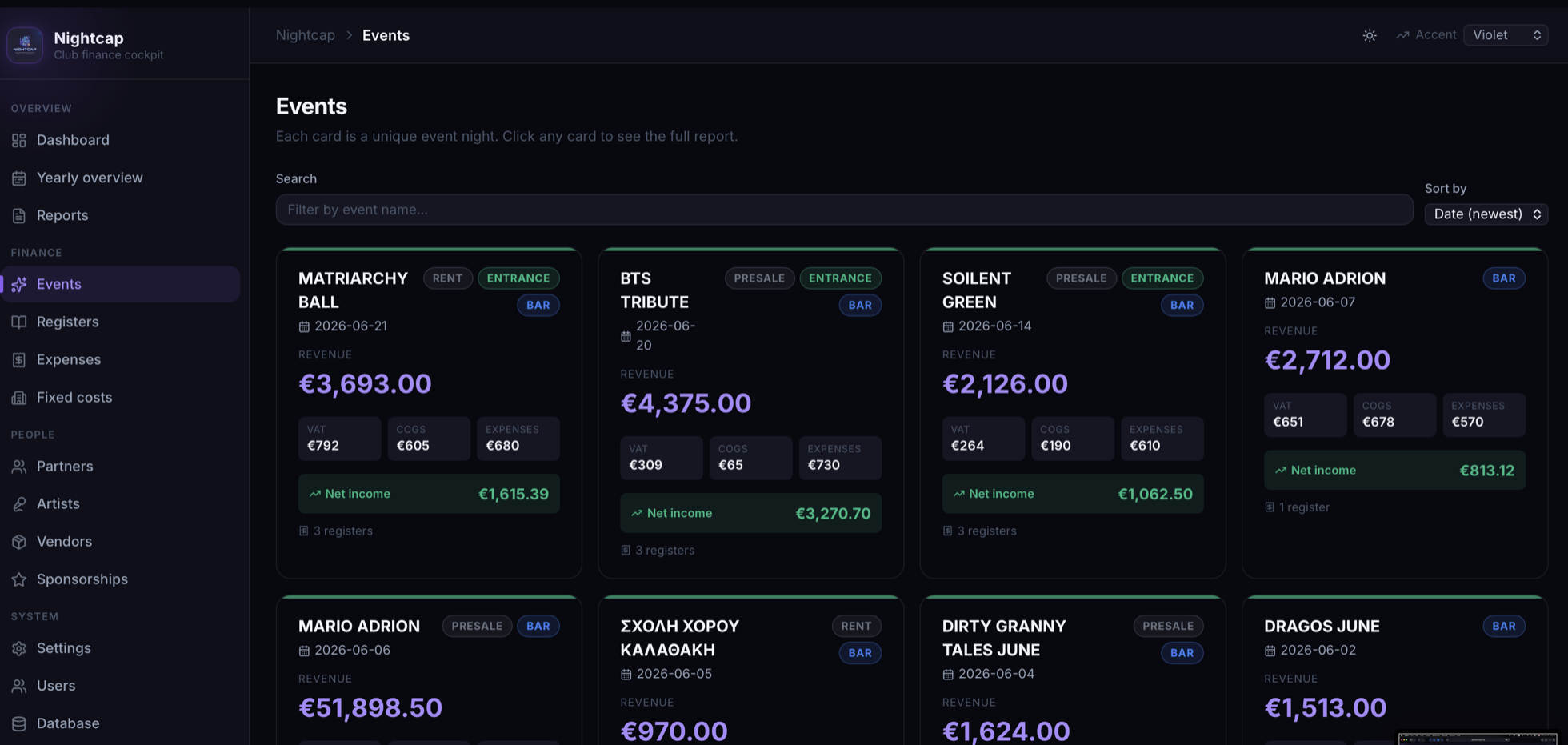
Every event night is a card. Each shows its total revenue and computed net income at a glance — click through to the full breakdown of that night.
- One card per event with revenue, net income and register tags (bar, entrance, presale, rent).
- Search and sort the whole event history by date or value.
- Click any night to open its detailed report.
Registers
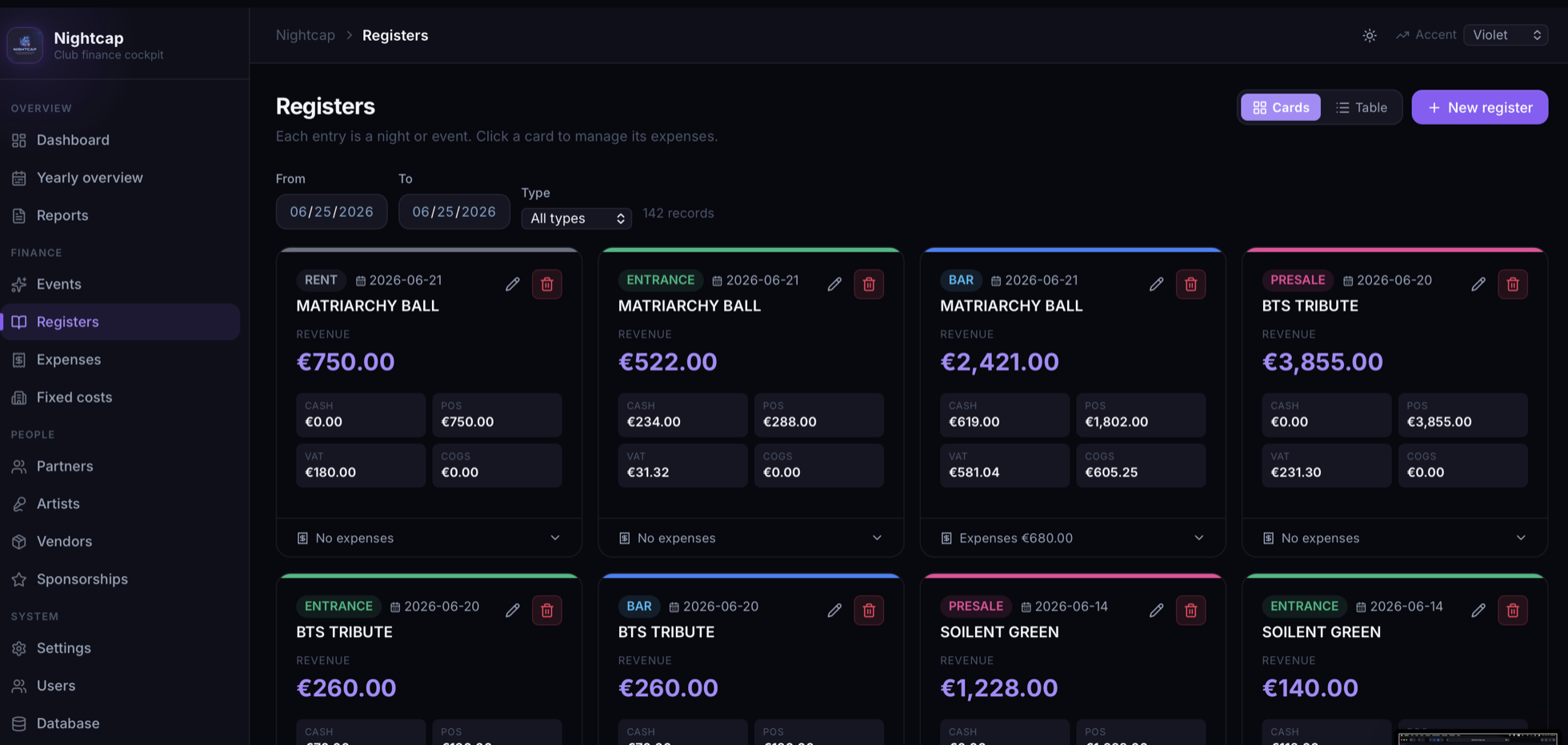
The heart of Nightcap. A register is a single revenue stream for a night — its entrance, its bar, its presale, its rent — recorded individually so nothing is lumped together.
- Typed registers — bar, entrance, presale, rent — color-coded per event.
- Card or table view, with date and type filters.
- Click a register to manage the expenses tied to it.
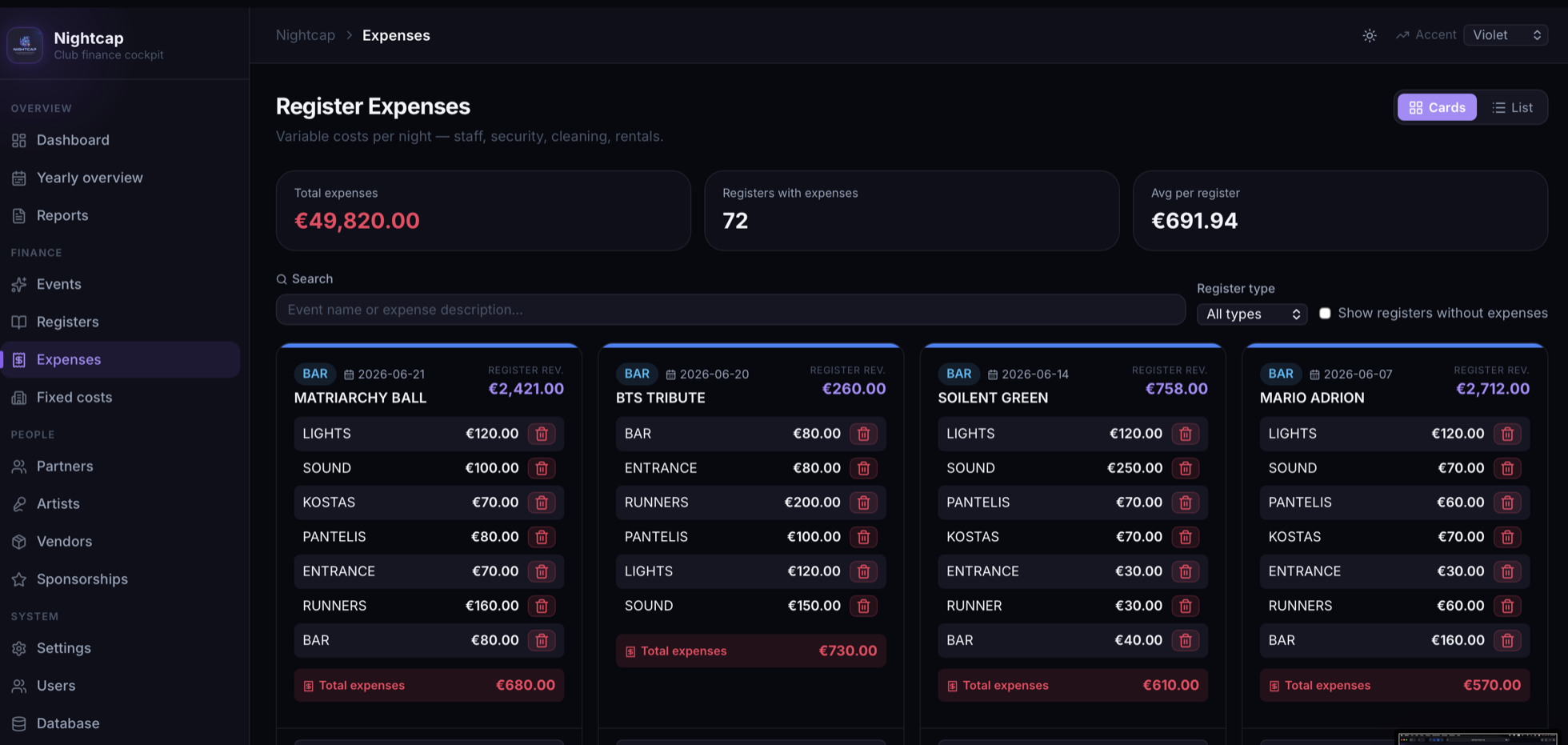
Register Expenses
The variable cost of running each night — staff, security, cleaning, drinks — itemised against the register it belongs to, with running totals across the venue.
- Line-item expenses per register, added in a click.
- Totals at the top — total expenses, registers with expenses and average per register.
- Filter by type or show only registers that still need expenses.
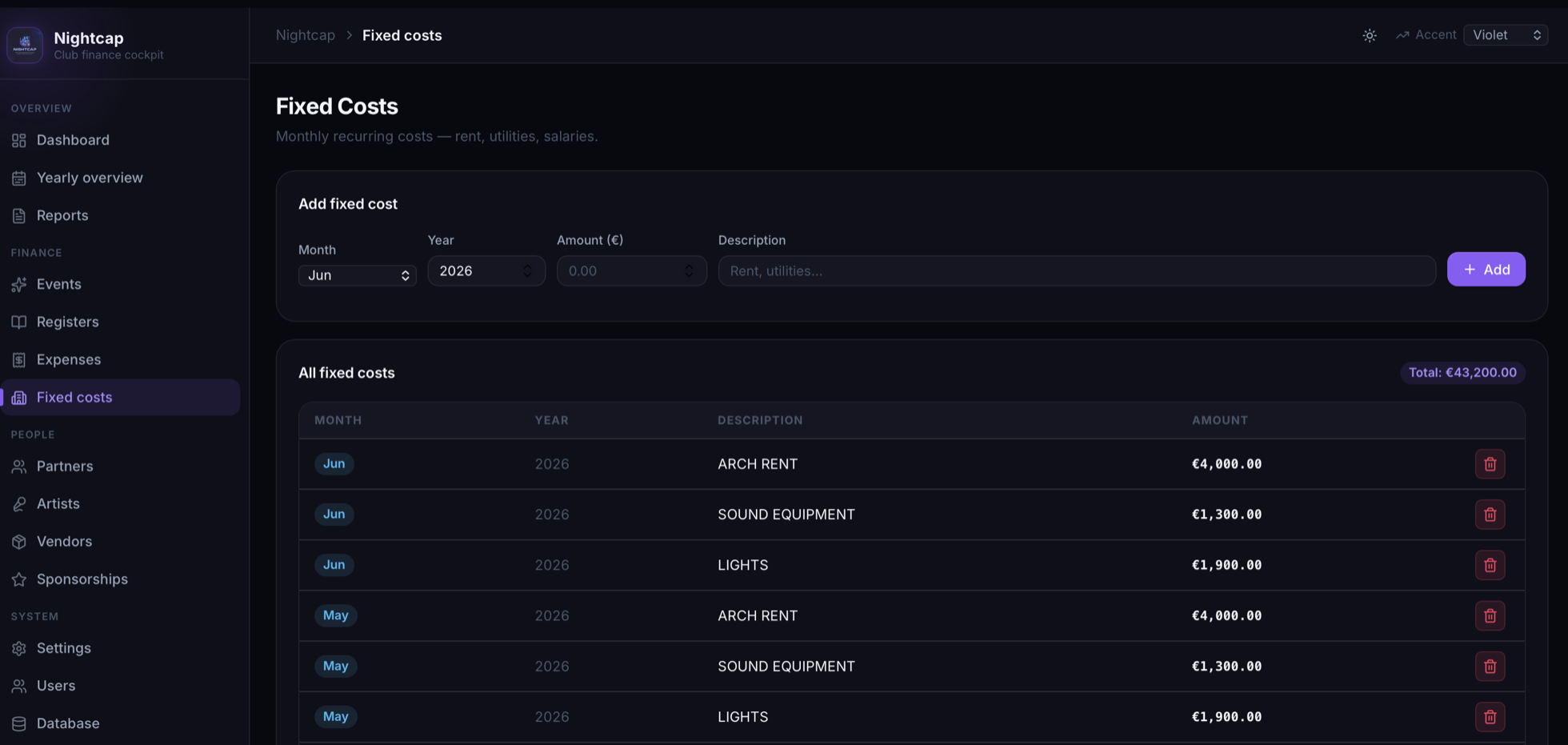
Fixed Costs
The overhead that runs whether the doors open or not — rent, utilities, equipment, salaries. Logged per month so it flows correctly into net income and the per-day fixed cost.
- Add recurring costs by month, year, amount and description.
- Full ledger of every fixed cost with a running total.
- Feeds the dashboard's fixed-cost-per-day figure.
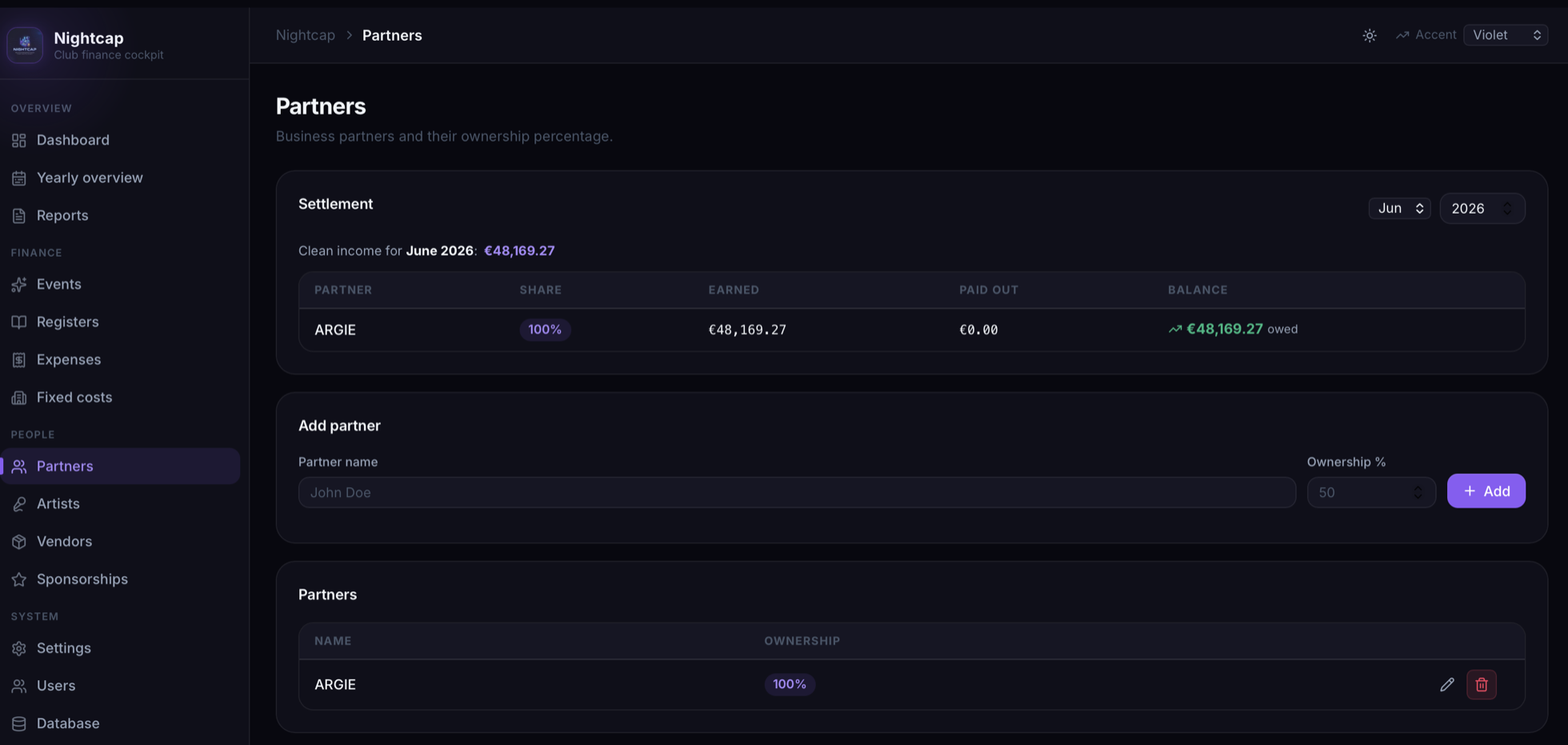
Partners
Keep ownership and payouts honest. Set each partner's share and Nightcap settles the month for you — what was earned, what was paid out, and what's still owed.
- Monthly settlement from the clean income, split by ownership.
- Earned / paid out / balance per partner, always reconciled.
- Partner expenses tracked alongside their share.
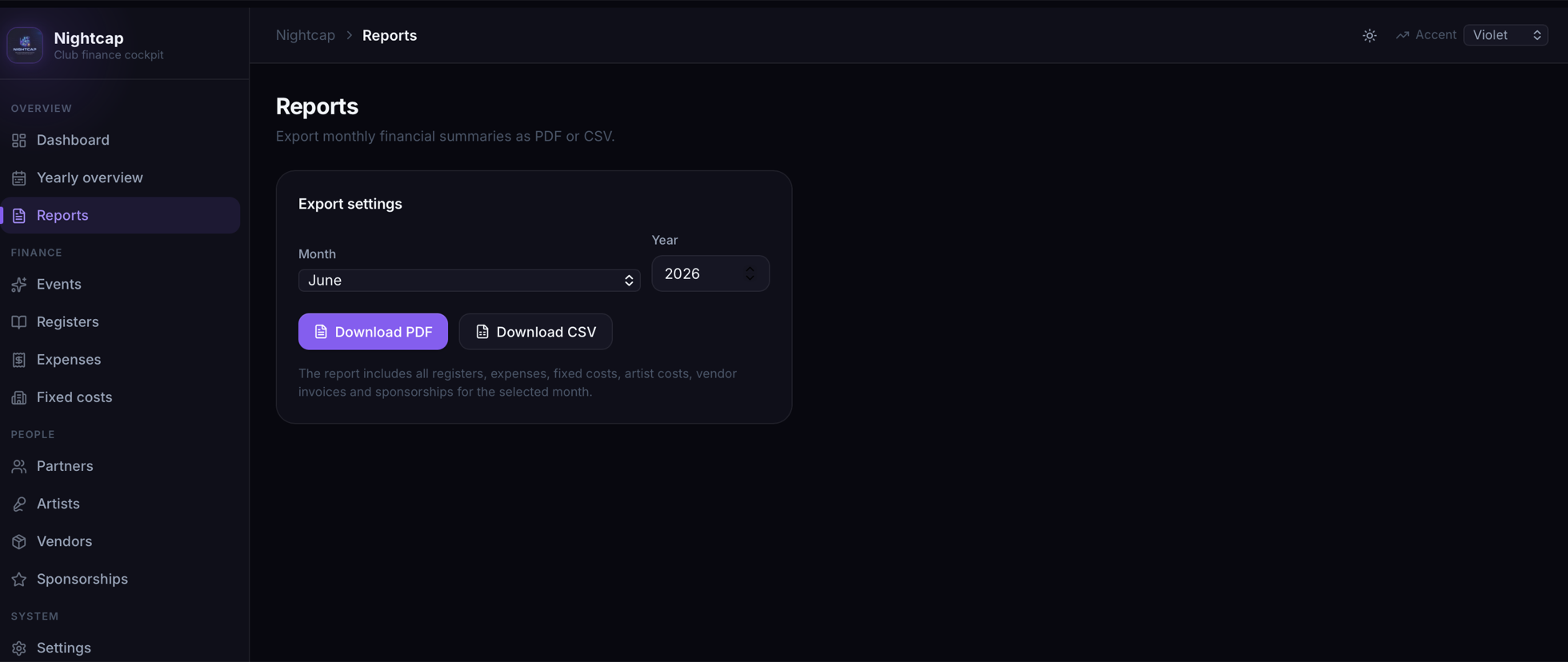
Reports · also in light theme
Close the month in one click. Pick a month and year, then export a polished PDF or a CSV that bundles everything — registers, expenses, fixed costs, artist costs, vendor invoices and sponsorships.
- Download PDF — a branded, print-ready monthly statement.
- Download CSV for your accountant or spreadsheet.
- Nightcap ships both light and dark themes — shown here in light.
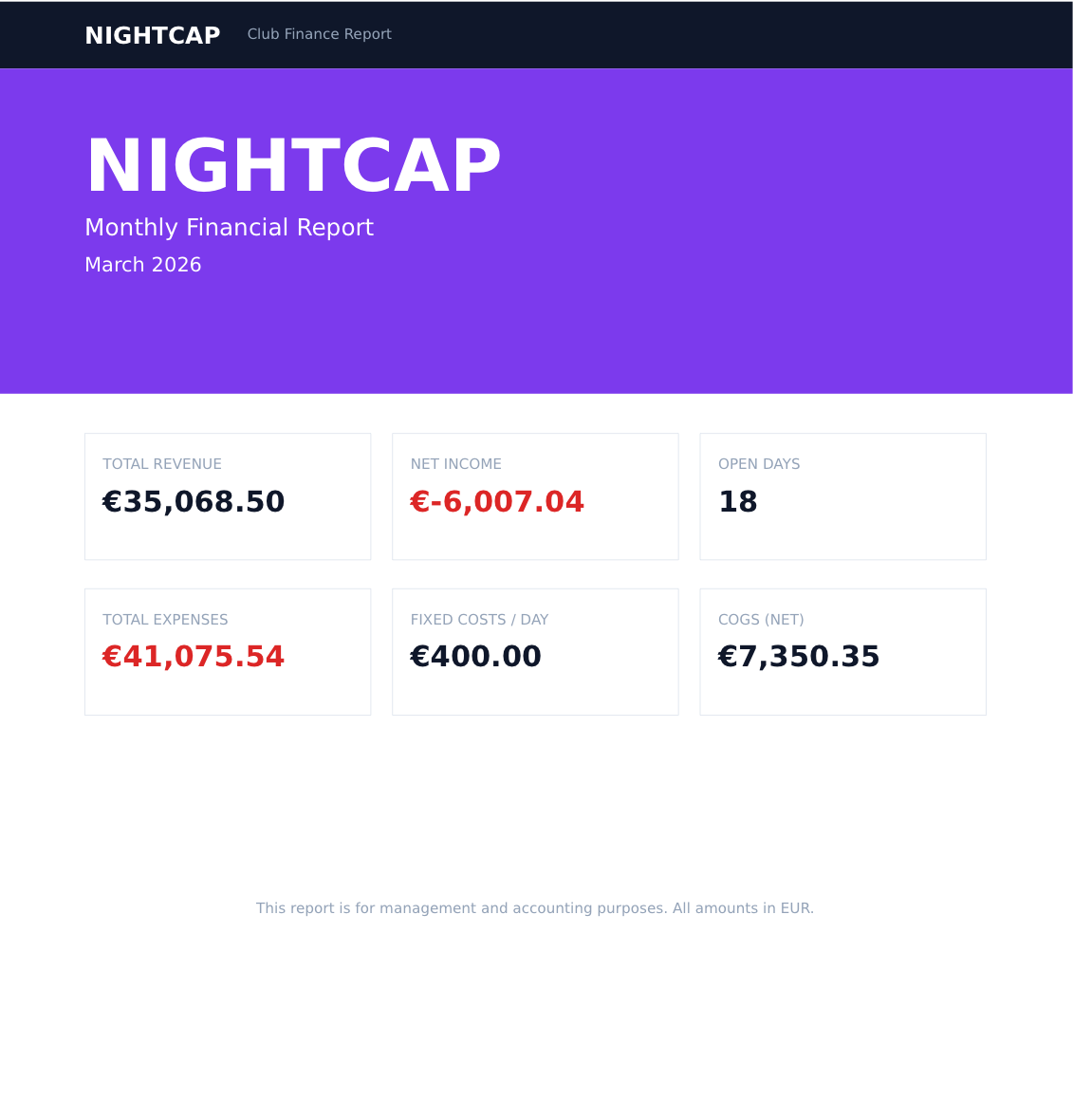
A board-ready report, generated for you
Every Nightcap export is a clean, branded Club Finance Report — total revenue, net income, expenses, open days, fixed cost per day and net COGS for the month, all in EUR and ready to hand to a partner or accountant.
One container. Zero dependencies.
No external database to provision, no cloud account, no per-seat bill. Pull the public image, run it, and your venue's finances live on your own infrastructure.
- Embedded SQLiteThe database ships inside the container — back it up by copying one file.
- Multi-architectureRuns natively on amd64 servers and arm64 boards like a Raspberry Pi or Apple silicon.
- Your data stays yoursNothing leaves your network. Full ownership, fully offline-capable.
$ docker pull pantelis98765/nightcap:latest
# 1 · Pull the multi-arch image
$ docker pull pantelis98765/nightcap:latest
latest: Pulling from pantelis98765/nightcap ✔

# 2 · Run it — one persistent volume
$ docker run -d --name nightcap \
    -p 8080:8080 \
    -v nightcap_data:/app/data \
    pantelis98765/nightcap:latest

✔ Nightcap is up → http://localhost:8080
# Open it, log in, start tracking the night.
Run Nightcap on your own server
The image is public on Docker Hub and runs anywhere Docker does. Pull it, point a volume at it, and you're keeping the books in minutes.